Table of Contents
- Exercise Apps: Which Features Actually Help?
- Why Exercise Apps Are Everywhere—and Why Most People Quit
- The Real Problem: Motivation vs. Friction
- What “Actually Helps” Means
- The Features That Move the Needle
- Personalized Workout Plans
- Why Personalization Beats Generic Programs
- Progress Tracking That Goes Beyond Steps
- Metrics That Matter (and Metrics That Don’t)
- Guided Audio and Video Coaching
- When a Voice Cue Is Worth More Than a Chart
- Smart Reminders and Habit Nudges
- The Fine Line Between Helpful and Annoying
- Social Accountability and Community
- Challenges, Streaks, and Friendly Competition
- Wearable Integration and Heart-Rate Zones
- Making Sense of the Data Dump
- Features That Sound Great but Often Fall Flat
- Gamification Without Meaning
- Calorie Counting as a Sole Focus
- AI Form Correction: Useful or Gimmick?
- How to Choose the Right Exercise App for You
- Match the App to Your Goal
- Test the Free Version First
- Consider Your Attention Span and Schedule
- The Feature Stack I’d Actually Pay For
- Final Thoughts: The Best Feature Is the One You’ll Use
- FAQs
Exercise Apps: Which Features Actually Help?
Exercise apps are like digital gym buddies. They fit in your pocket, they never complain about your playlist, and they’re ready at 6 a.m. or 11 p.m. But let’s be honest—most of them are stuffed with features that sound amazing on a landing page and feel useless three days later. Ever downloaded a fitness app in January, used it twice, and then let it collect digital dust? You’re not alone.
The real question isn’t “Which app has the most features?” It’s “Which features actually help you move more, feel better, and stick with it?” That’s what we’re digging into. No hype. No shiny-object syndrome. Just a practical look at what works, what doesn’t, and how to choose an exercise app that earns its place on your home screen.
Why Exercise Apps Are Everywhere—and Why Most People Quit
There’s an app for everything now. Running, lifting, yoga, walking, dancing, stretching, breathwork, and even “recovery” sessions that are basically guided naps. The market exploded because smartphones became powerful enough to track movement, play video, and nudge you with notifications. But availability isn’t the same as effectiveness.
Most people quit fitness apps for boring reasons: they get busy, the plan feels too hard, the app asks for too much data, or the notifications start feeling like a nagging coworker. The app itself isn’t evil. The problem is often a mismatch between what the app offers and what you actually need on a random Tuesday when motivation is low.
The Real Problem: Motivation vs. Friction
Motivation is a spark. Friction is the wet blanket. An exercise app can’t magically give you endless motivation, but it can reduce friction. That means making it easier to start, easier to follow, and easier to come back after you miss a day. If an app adds friction—too many taps, confusing menus, guilt-tripping streaks—it’s working against you.
Think of it like this: you don’t need a cheerleader screaming in your ear. You need a clear path, a gentle push, and a way to see that your effort is adding up. That’s where the right features come in.
What “Actually Helps” Means
A helpful feature isn’t the flashiest one. It’s the one that changes your behavior. Does it get you to put on your shoes? Does it keep you from quitting mid-workout? Does it help you recover so you can train again tomorrow? If a feature does that, it’s worth its digital weight. If it just looks cool in a demo, it’s probably filler.
The Features That Move the Needle
Let’s separate the signal from the noise. These are the features that consistently help real people build real habits.
Personalized Workout Plans
A generic 30-day challenge can be fun, but it’s like wearing someone else’s shoes. Maybe they fit. Maybe they give you blisters. Personalized plans adapt to your goals, your experience level, your available equipment, and even your schedule. That doesn’t mean you need a full AI coach. It means the app should ask a few smart questions and then give you a plan that feels doable.
Why Personalization Beats Generic Programs
When a workout fits your life, you’re more likely to do it. If you hate burpees, a plan packed with burpees will fail. If you only have 20 minutes, a 60-minute session will get skipped. Personalization reduces the mental load. You don’t have to decide what to do—you just follow the plan. That’s a huge win for consistency.
Progress Tracking That Goes Beyond Steps
Steps are fine. They’re a decent baseline for general movement. But if your goal is to get stronger, run faster, or improve mobility, step counts won’t tell the whole story. Good apps track workouts, personal records, consistency, and how you feel. They show progress in ways that actually matter to you.
Metrics That Matter (and Metrics That Don’t)
Useful metrics include workout frequency, total volume lifted, pace, distance, heart-rate recovery, and sleep quality. Less useful metrics include calories burned as a sole score, “sweat points,” or arbitrary badges that don’t connect to your goal. A number is only helpful if it changes what you do next. If it doesn’t, it’s just decoration.
Guided Audio and Video Coaching
Sometimes you need someone to tell you what to do. Not because you’re clueless, but because decision fatigue is real. Guided sessions keep you moving, correct your pacing, and stop you from quitting early. Video is great for form. Audio is great for runs, walks, and home workouts where you don’t want to stare at a screen.
When a Voice Cue Is Worth More Than a Chart
A simple “You’re halfway there” or “Relax your shoulders” can be more powerful than a beautiful analytics dashboard. Coaching cues mimic having a trainer beside you. They keep your head in the game. If an app’s audio feels natural and encouraging—not robotic or cheesy—it can be a game-changer.
Smart Reminders and Habit Nudges
Reminders are tricky. Too few and you forget. Too many and you mute the app forever. Smart reminders learn when you’re likely to work out and nudge you then. They might say, “You usually walk at 6 p.m. Want to head out?” That’s helpful. A generic “Time to exercise!” at 5 a.m. when you’re asleep? Not so much.
The Fine Line Between Helpful and Annoying
The best apps let you control frequency and tone. You should be able to say, “Remind me three times a week, not every day.” And the nudge should feel like a friendly tap on the shoulder, not a guilt trip. If an app makes you feel bad for resting, it’s not a coach—it’s a critic.
Social Accountability and Community
Humans are social creatures. We show up more when someone is expecting us. Exercise apps that include challenges, friend feeds, or group workouts can boost consistency. You don’t need a huge community. One or two workout buddies in an app can make a difference.
Challenges, Streaks, and Friendly Competition
Streaks can motivate—until they become a source of anxiety. Challenges can be fun—until they push you to overdo it. The sweet spot is friendly competition that celebrates effort, not just winners. Look for features that let you compete against yourself or a small group, not an anonymous leaderboard of fitness robots.
Wearable Integration and Heart-Rate Zones
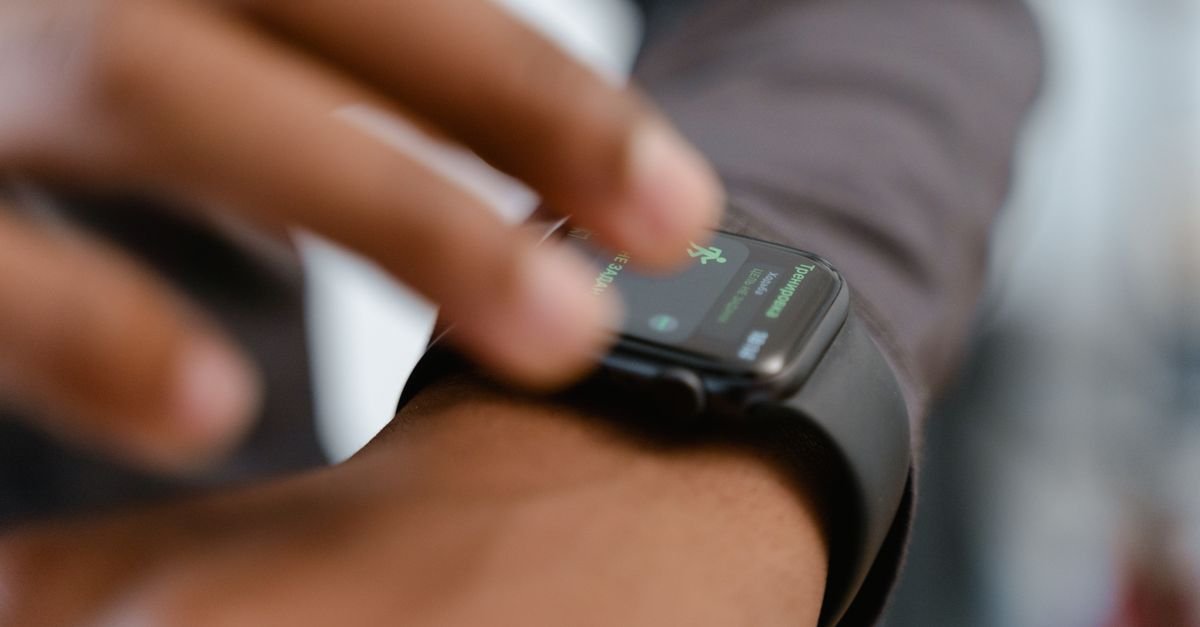
If you have a smartwatch or heart-rate strap, integration matters. Your app should pull in heart rate, sleep, and recovery data without you manually entering everything. Heart-rate zones help you train at the right intensity—easy days easy, hard days hard. That’s especially useful for running, cycling, and interval training.
Making Sense of the Data Dump
Data is only useful if it’s translated into action. A good app doesn’t just show you 47 graphs. It says, “Your resting heart rate is up. Take an easy day.” Or “You’ve hit your cardio goal three weeks in a row. Nice work—try adding one strength session.” That’s the difference between raw data and real guidance.
Features That Sound Great but Often Fall Flat
Not every popular feature deserves your attention. Some are harmless. Some are actively distracting. Here’s what to watch out for.
Gamification Without Meaning
Badges, points, and confetti can be fun. But if they don’t connect to your actual goal, they’re just digital sprinkles. Earning a “Early Bird” badge doesn’t matter if you’re training for a marathon. Gamification works when it reinforces the behavior you care about—like completing three strength sessions a week or hitting your protein target.
Calorie Counting as a Sole Focus
Calories are one piece of the puzzle, not the whole picture. An app that only focuses on burning calories can push you toward unhealthy patterns or make you ignore strength, mobility, and recovery. If you enjoy tracking calories, fine. But don’t let a single number define your progress.
AI Form Correction: Useful or Gimmick?
AI form correction can be surprisingly helpful for simple movements like squats, push-ups, and lunges. It can flag knee valgus or uneven hips. But it’s not a replacement for a skilled coach, especially for complex lifts. Use it as a extra set of eyes, not the final word. If the app gives vague feedback like “adjust your form,” it’s not helping much.
How to Choose the Right Exercise App for You
There’s no single best app. There’s only the best app for your goal, your personality, and your schedule. Here’s how to narrow it down.
Match the App to Your Goal
Are you trying to run your first 5K? Build muscle? Do yoga every morning? Manage stress? Different apps excel at different things. A running app with GPS and pace coaching is great for runners. A strength app with progressive overload tracking is better for lifters. Don’t pick a jack-of-all-trades if you need a specialist.
Test the Free Version First
Free trials are your friend. Use them for at least a week. Do the workouts. Check the interface. See if the reminders annoy you or help you. If the free version feels clunky, the paid version probably won’t magically fix it. And if the app locks basic features behind a paywall immediately, that’s a red flag.
Consider Your Attention Span and Schedule
If you have 15 minutes, you need an app that offers short sessions. If you get bored easily, you need variety. If you love routine, you need a plan that repeats. Be honest about your attention span. The best app is the one you’ll actually open when you’re tired, busy, or unmotivated.
The Feature Stack I’d Actually Pay For
If I were building my ideal exercise app, here’s what I’d want:
- Adaptive workout plans that change based on my progress and schedule.
- Simple logging that takes seconds, not minutes.
- Audio coaching for runs and home workouts.
- Heart-rate zone integration with my watch.
- Recovery guidance that tells me when to rest.
- Exportable data so I’m not locked in.
- No shame-based streaks or guilt notifications.
- A clean interface that doesn’t feel like a video game menu.
Notice what’s missing? Leaderboards, calorie confetti, and 47 social feeds. Those can be fun, but they’re not the core. The core is helping you show up, do the work, and feel good about it.
Final Thoughts: The Best Feature Is the One You’ll Use
Exercise apps can be powerful tools, but they’re not magic. The features that actually help are the ones that reduce friction, provide clear guidance, and adapt to your real life. Personalization, smart tracking, guided coaching, and wearable integration are worth your attention. Gamification, calorie obsession, and flashy AI can be useful—but only if they support your goals.
So before you download another app, ask yourself: What do I actually need? Not what sounds impressive. Not what your favorite influencer uses. What will get you moving on a bad day? That’s the feature that matters. The best app is the one you’ll actually use—and keep using long after the novelty wears off.
FAQs
Are free exercise apps good enough?
Absolutely. Many free apps offer solid workout plans, tracking, and audio coaching. You don’t need to pay for premium unless you want advanced personalization, deeper analytics, or ad-free experience. Start free, see what you use, then upgrade if it makes sense.
Do I need a smartwatch to benefit from a fitness app?
No. A phone alone can track steps, workouts, and GPS. But a smartwatch or heart-rate strap can unlock better intensity tracking, recovery insights, and hands-free convenience. It’s a nice upgrade, not a requirement.
How often should I change my workout app?
Only when it stops serving you. If you’ve outgrown the features, feel bored, or the app no longer matches your goals, switch. But don’t hop apps every month just because a new one looks shiny. Consistency beats novelty.
Can an exercise app replace a personal trainer?
For general fitness, yes—an app can provide structure, guidance, and accountability. For complex goals, injury rehab, or advanced technique, a real trainer is still invaluable. Think of an app as a smart assistant, not a human expert.
What’s the most underrated feature in exercise apps?
Recovery guidance. Most apps push you to do more, but the best ones tell you when to back off. Sleep, rest days, and stress management are just as important as workouts. An app that respects recovery will help you last longer and avoid burnout.